Tell us your pet is missing
What this is for
If your pet is missing, do this first. It takes about a minute, and it alerts the people near you who can help.
Before you start: take a breath. This is one page of information, and then help starts spreading. You can add more detail later — nothing here is final.
Steps
1 — Press and hold the red LOST PET button. On your pet's home screen, press and hold the red LOST PET button for two seconds.
You will be asked to confirm, so you cannot set this off by accident.
2 — Say where your pet was last seen. Tap Set Last Location and mark the spot on the map. Add any conditions you want helpers to know — for example, whether your pet is shy, or needs medication.
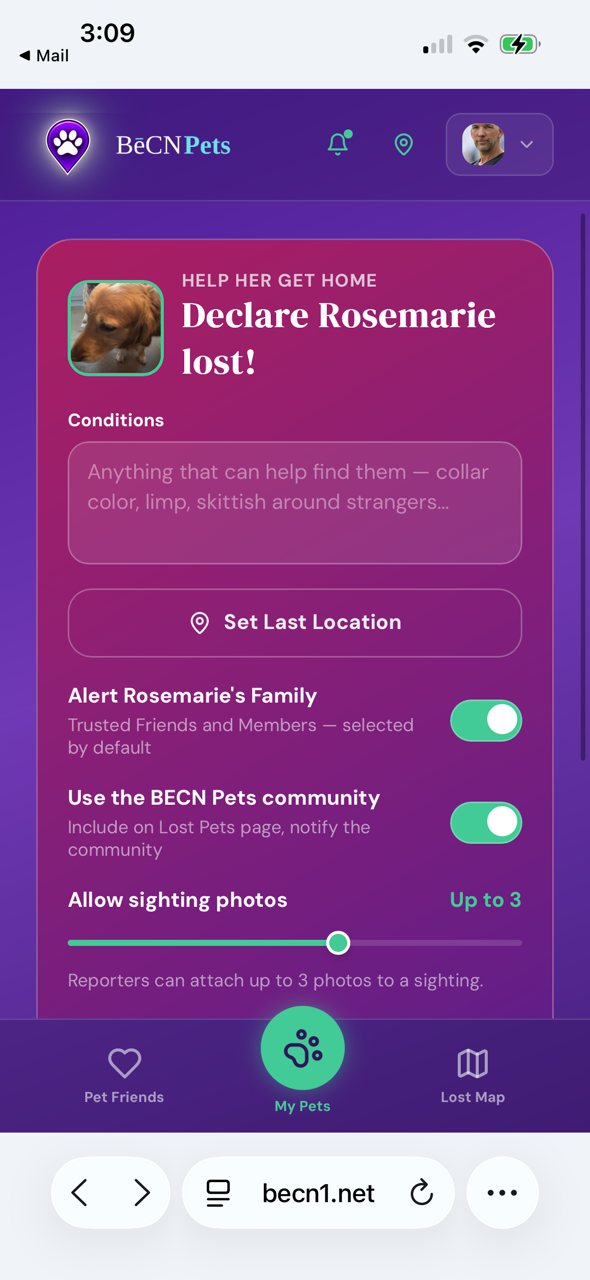
3 — Choose who to notify. You can notify the community, include photos, and send email alerts. Turn on whatever feels right.
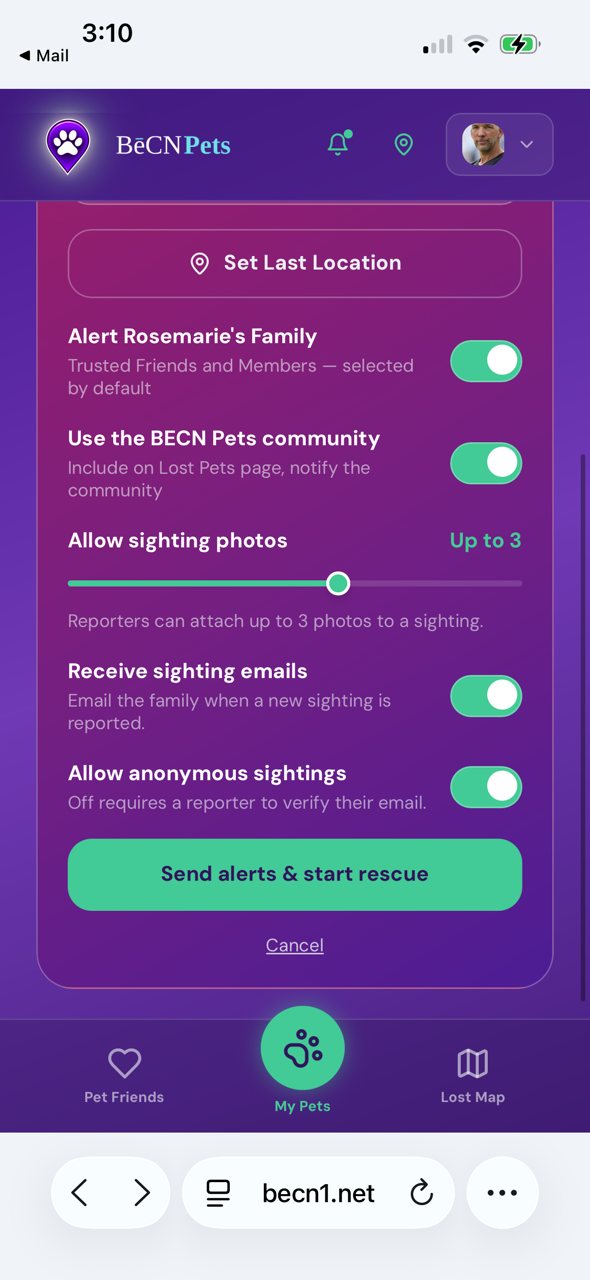
4 — Tap "Send alerts & start rescue". Your pet is now marked LOST. Alerts go out to the community.
What a neighbour receives
People who have lost-pet alerts switched on receive an email like this one.

What happens next
Your pet's screen changes to show the live rescue. What you'll see while the alert is live →
Related pages
Still need help? Email support@becnpets.com or visit becnpets.com/support. We're a small team and we're glad to help.
Most questions are answered in the frequently asked questions.