Reporting a sighting
What this is for
If you see a pet marked LOST, you can tell their family where you saw them. This takes about thirty seconds and it genuinely helps.
You do not need an account to do this, and you can stay anonymous.
Steps
1 — Open the pet's Passport and tap "Share Sighting".
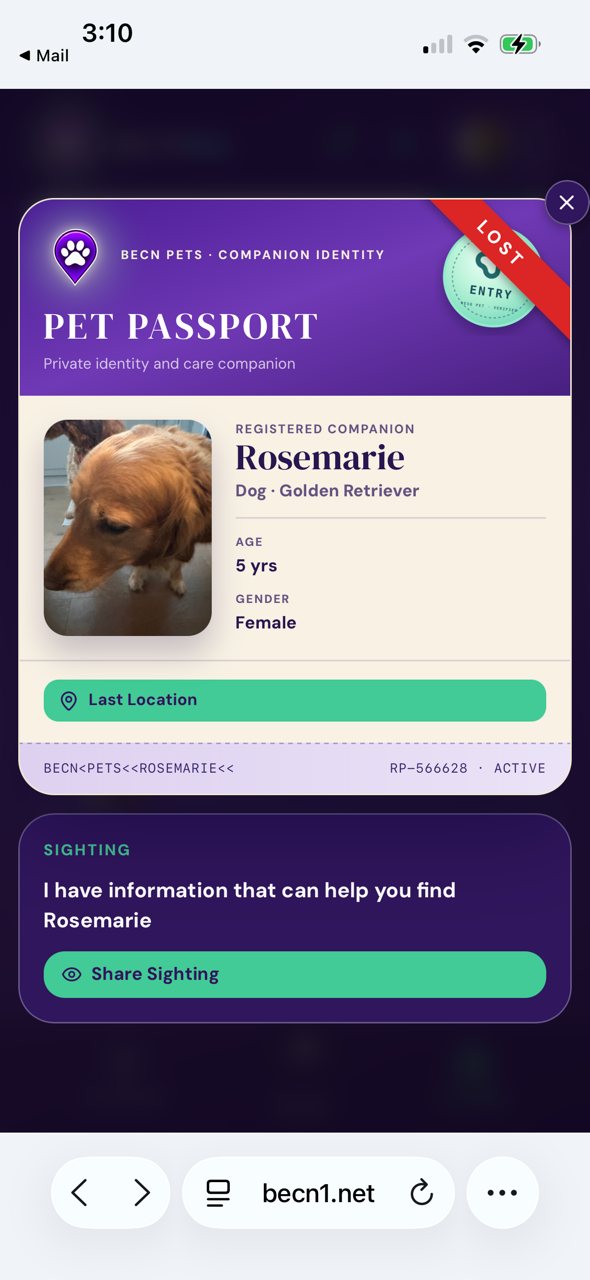
2 — Move the pin to where you saw them. Drag the map so the pin sits on the right spot. Add a short note — what you saw, and roughly when.
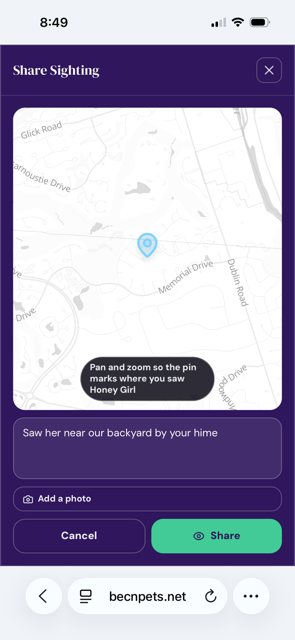
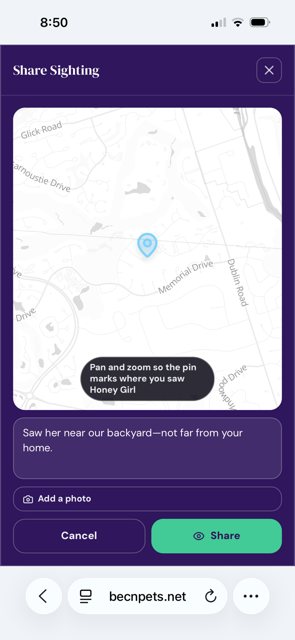
3 — Add a photo if you can. A photo helps the family far more than a description. Tap Add a photo, then tap Share.
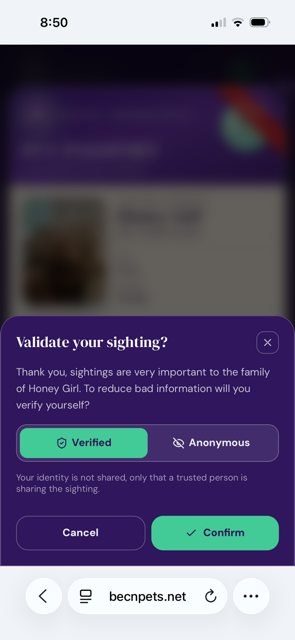
4 — Choose whether your name is shown. You will be asked whether to share as Verified or Anonymous.
In plain terms: this is asking whether your name appears with the sighting. Choose Verified to show your name, or Anonymous to share the sighting without it.
Either choice helps the same amount. The family receives your sighting either way.
What happens next
The family sees your sighting straight away on their pet's screen. If they need to reach you, they can message through the app — they will not see your phone number or email address.
Related pages
Still need help? Email support@becnpets.com or visit becnpets.com/support. We're a small team and we're glad to help.
Most questions are answered in the frequently asked questions.