Create your account
What this is for
You have your tag and you are ready to set it up. This takes about two minutes. You will need your email address, and the tag itself.
There is no password to remember. We send you a link instead.
Steps
1 — Scan your pet's tag. Open the camera on your phone and point it at the tag on your pet's collar. A web page will open in your browser.
If your phone does not open the page, type the web address printed on the tag instead.
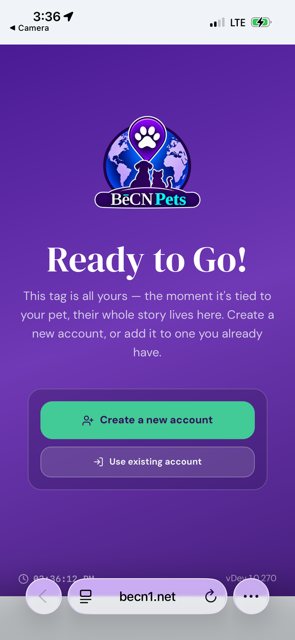
2 — Enter your email address. Type the email address you want to use. This is how you will sign in from now on.
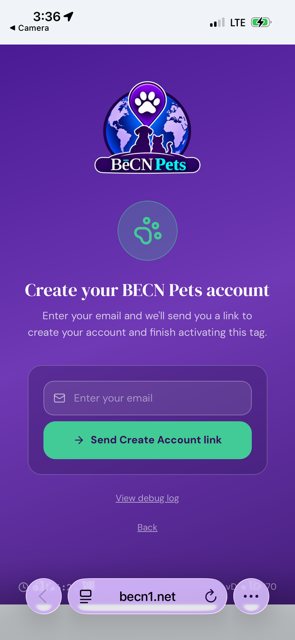
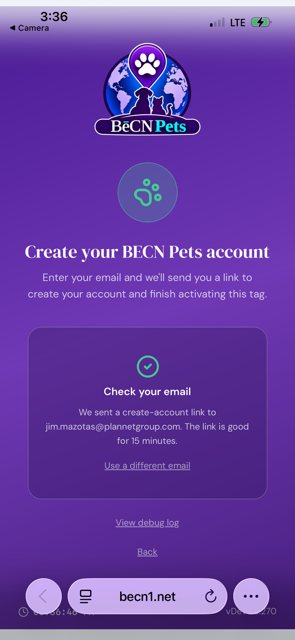
3 — Check your email. We send you a message straight away. The link inside works for 15 minutes.
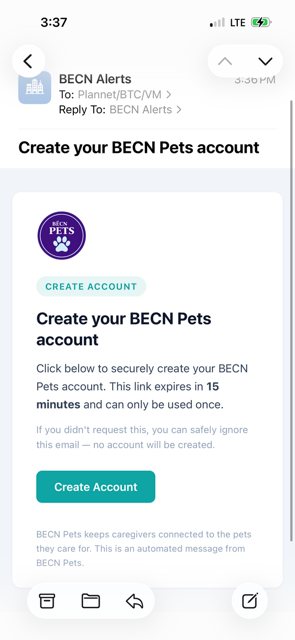
4 — Open the email and tap the button. Look for a message from BēCN Alerts. Tap the button inside that says Create Account.
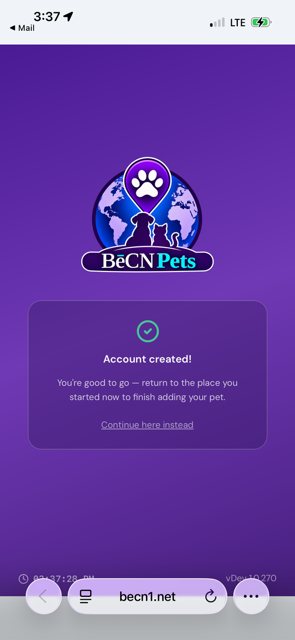
5 — Come back and finish. Your account is ready. Tap Continue here instead to return and add your pet.
If the email does not arrive
Check your spam or junk folder first. If it is not there, wait a minute and try again. If it still has not arrived, email us at support@becnpets.com and we will sort it out.
What happens next
Your account is ready and your tag is linked. Add your pet →
Related pages
Still need help? Email support@becnpets.com or visit becnpets.com/support. We're a small team and we're glad to help.
Most questions are answered in the frequently asked questions.