Checking the pet's details
What this is for
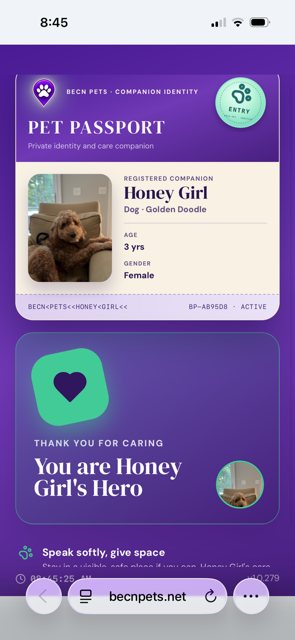
The Pet Passport shows you who this animal is. Use it to confirm the pet in front of you matches the pet on the screen.
What you will see
Their name — for example, Rosemarie. Their photo — check it matches the animal with you. Their breed and age — useful if you are unsure. An identification code — the reference printed on the tag.
What you will not see
You will not see the owner's name, address, phone number, or email address. You will not see the pet's medical records.
BēCN Pets shows you only what you need to get this pet home. The family keeps everything else private.
If the photo does not match
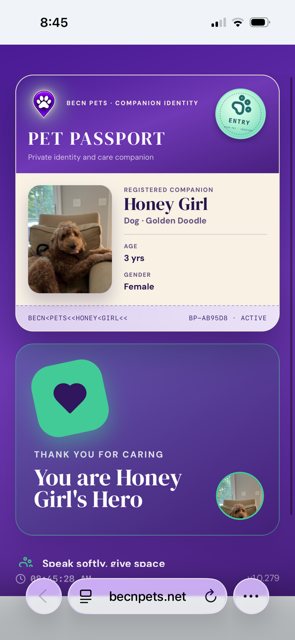
If the animal with you does not look like the pet on the screen, do not report them as found. You may have scanned the wrong tag, or the tag may belong to a different pet.
If you are unsure, you can still share a sighting — see Reporting a sighting — or email us at support@becnpets.com.
What happens next
Still need help? Email support@becnpets.com or visit becnpets.com/support. We're a small team and we're glad to help.
Most questions are answered in the frequently asked questions.