The system in one picture
What this is for
BēCN Pets does three things. This page shows how they fit together.
The picture
[Illustration — BECN_Pets_Illustration_System_In_One_Picture.png]
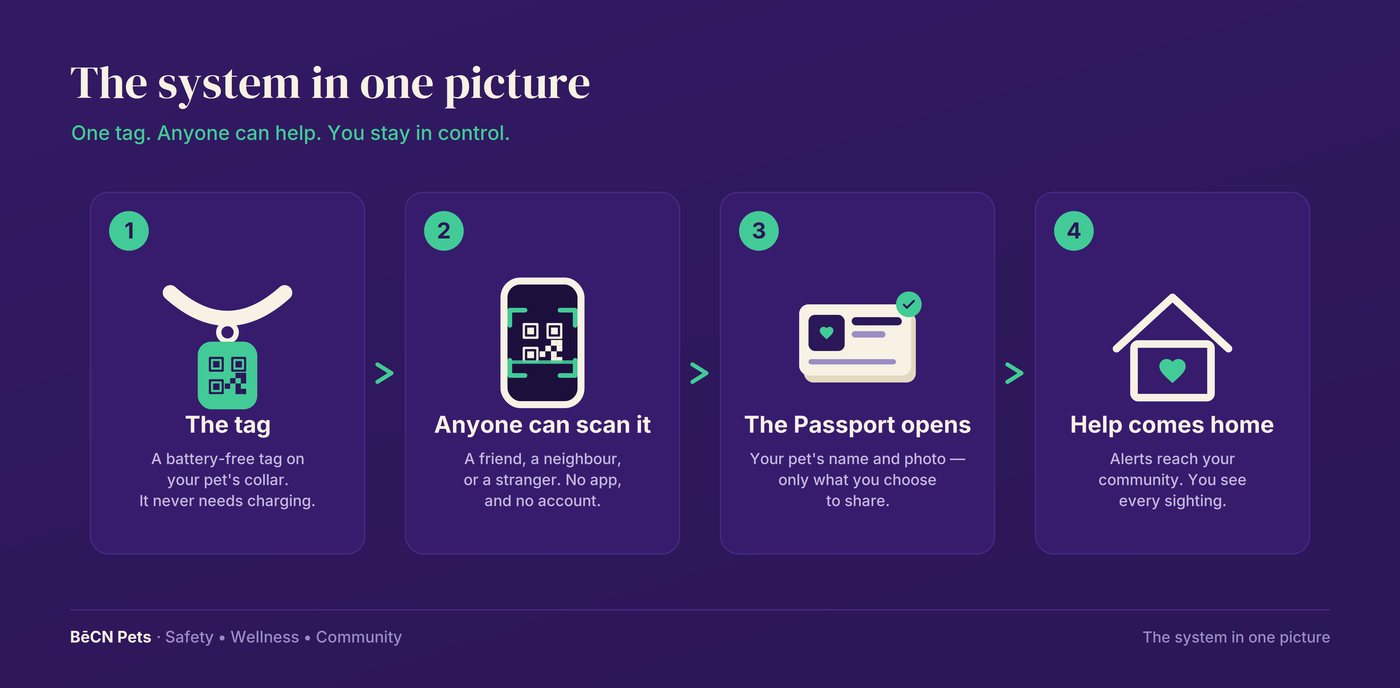
Alt text: Four steps across the page. 1, the tag — a battery-free tag on your pet's collar that never needs charging. 2, anyone can scan it — a friend, a neighbour, or a stranger, with no app and no account. 3, the Passport opens — your pet's name and photo, and only what you choose to share. 4, help comes home — alerts reach your community, and you see every sighting.
The words
1 — The tag carries the connection. A small, battery-free tag sits on your pet's collar. It never needs charging. It holds no personal information — it is only a starting point.
2 — Anyone can scan it. A friend, a neighbour, or a stranger who finds your pet points a phone camera at the tag. Your pet's Passport opens in their browser. They do not need an app and they do not need an account.
3 — You decide what they see. The Passport shows your pet's name, photo, and the details you choose to share. Nothing else is visible.
4 — If your pet is missing, help spreads. Declare your pet lost and the Lost Pet Map alerts your community. People who spot your pet can share a sighting, with their name or anonymously.
5 — You stay in control. You can see every sighting, message the person who found your pet, and close the rescue when your pet is safely home.
What happens next
Most people start with Setting up your tag. If you are here because a pet is missing right now, go straight to Your pet is missing.
Still need help? Email support@becnpets.com or visit becnpets.com/support. We're a small team and we're glad to help.
Most questions are answered in the frequently asked questions.